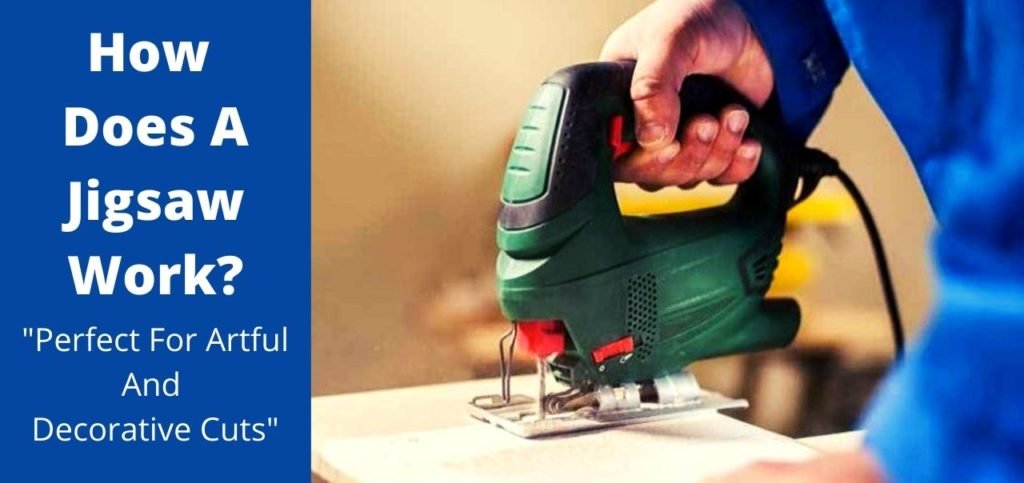
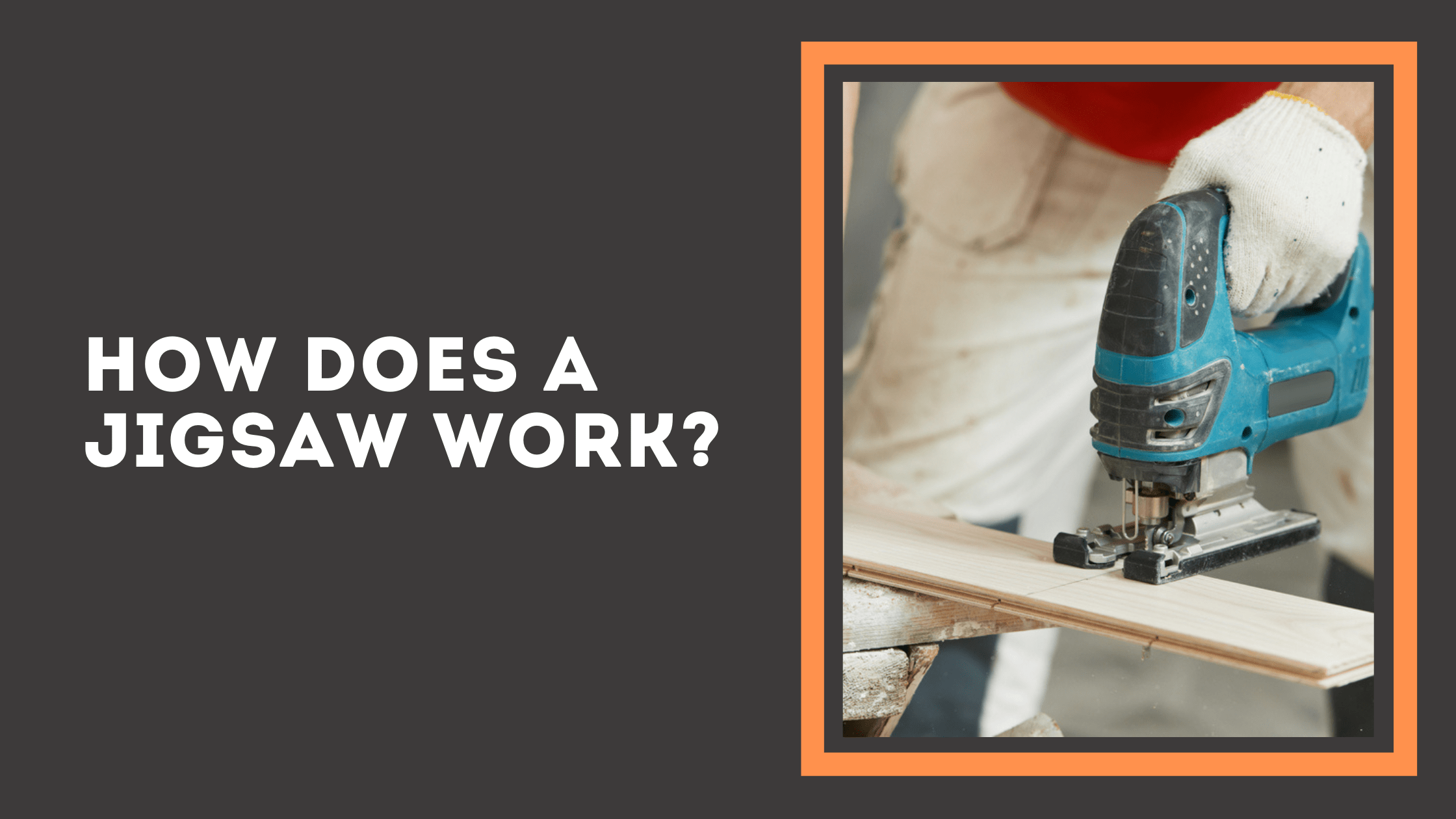
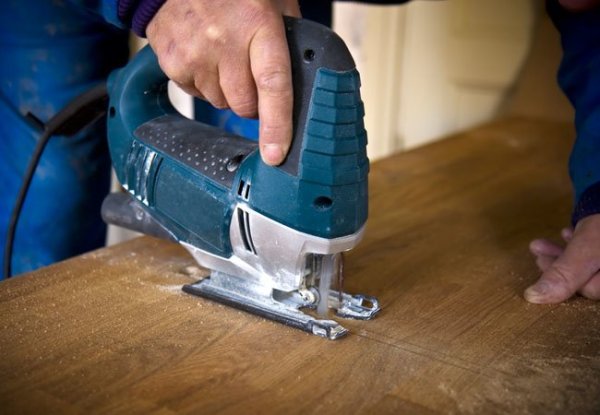
A jigsaw is a handheld power saw that cuts wood, plastic, metal, and other suitable materials using a narrow blade that moves rapidly up and down. It is especially useful for cutting curves, circles, patterns, straight lines, and custom shapes.
In American homes, a jigsaw is a useful tool for DIY repairs, furniture projects, home improvements, and woodworking. You might use one to cut a curved shelf, shape a plywood panel, trim a countertop opening, or make a custom wooden sign. Its small blade can follow paths that are difficult to cut with larger saws.
Unlike a circular saw, which uses a spinning round blade, a jigsaw uses a short, straight blade that moves in a fast up-and-down motion. The user guides the saw across the material while its flat base, called the shoe, rests on the surface. This design gives the tool good control when cutting curves and unusual shapes.
A jigsaw can also make straight cuts, angled cuts, and openings inside a board. However, it is not the best tool for every cutting job. Blade choice, material thickness, cutting speed, and the desired finish all affect the result. Understanding these details helps you use the saw correctly and avoid damaged materials.
Source: tektontravis.com
What Does a Jigsaw Do?
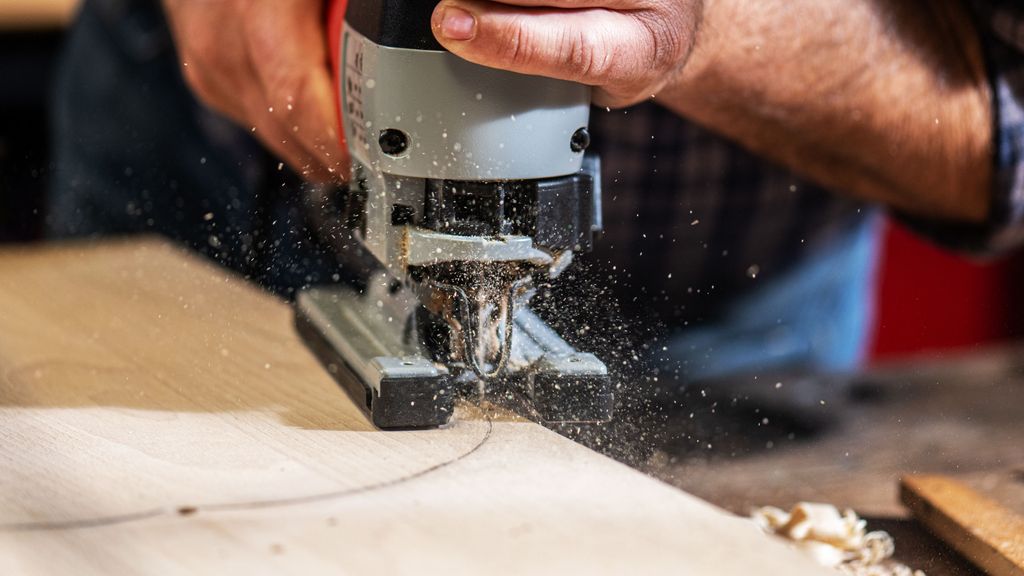
A jigsaw cuts materials by moving a narrow blade rapidly up and down. You guide the tool along a marked line, and the blade removes material as it moves through the workpiece. This lets you create different shapes without needing a large stationary saw.
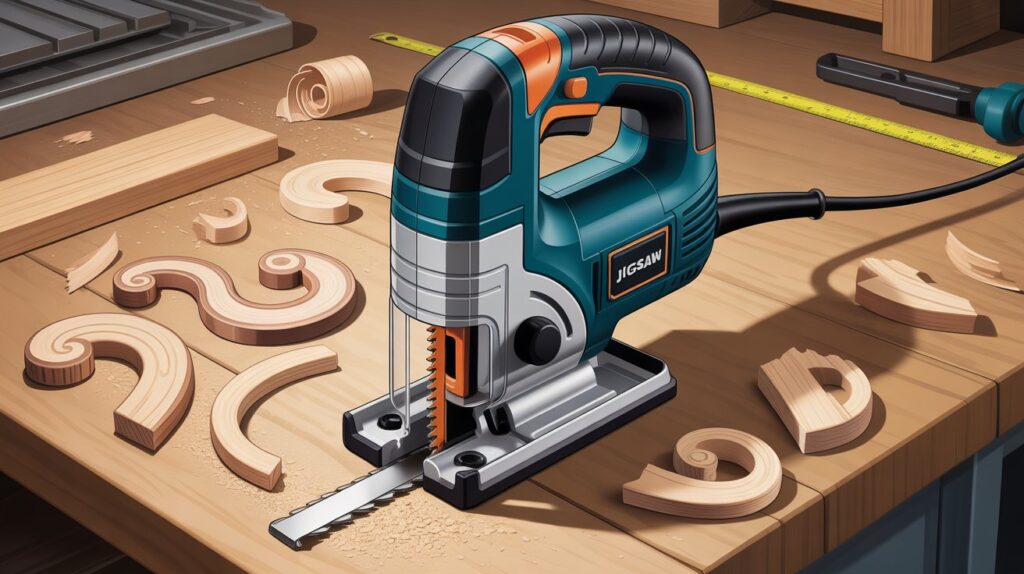
The tool is best known for its ability to cut curves. For example, you can use it to make rounded furniture parts, decorative wooden shapes, curved shelves, and openings in plywood. Its narrow blade can turn more easily than the wide blade of many other power saws.
A jigsaw is not limited to curved cuts. With the right blade and a steady hand, it can also cut straight lines, short crosscuts, angled edges, and rectangular openings. Some models have adjustable base plates that allow the user to make bevel cuts.
The main benefit is flexibility. Instead of using a different large saw for every unusual shape, you can often complete several types of cuts with one handheld tool. The result depends on the blade, the material, and how carefully you guide the saw.
Source: howtogetstartedwoodworking.com
Cutting Curves
A narrow blade can follow curved lines and rounded patterns. This is one of the main reasons woodworkers use jigsaws.
Cutting Straight Lines
A jigsaw can cut straight paths through boards and sheet materials. A straightedge or guide can help improve accuracy.
Making Interior Openings
After making a suitable starter hole, you can insert the blade into the material and cut an opening without starting at an outside edge.
Making Angled Cuts
Models with adjustable shoes can tilt the blade to make bevel cuts, often up to 45 degrees, depending on the tool.
Creating Custom Shapes
You can follow a drawn pattern to make decorative panels, signs, furniture details, and other custom designs.
Why Is a Jigsaw Different From Other Saws?
The main difference is its blade movement and shape. A circular saw uses a round blade that spins, while a jigsaw uses a narrow blade that moves vertically. This makes the jigsaw easier to steer around curves and small details.
A table saw is designed mainly for controlled cuts through boards, while a jigsaw is a portable tool that can move along a marked pattern. A reciprocating saw also uses a back-and-forth blade motion, but its design is generally better suited to rough cutting and demolition work.
Jigsaw
Best for curves, shapes, interior openings, and smaller cutting jobs.
Circular Saw
Better for long, straight cuts through boards and sheet materials.
Table Saw
Better for repeatable, controlled straight cuts in a workshop.
Reciprocating Saw
Useful for rough cutting, removal work, and demolition.
How Does a Jigsaw Work?
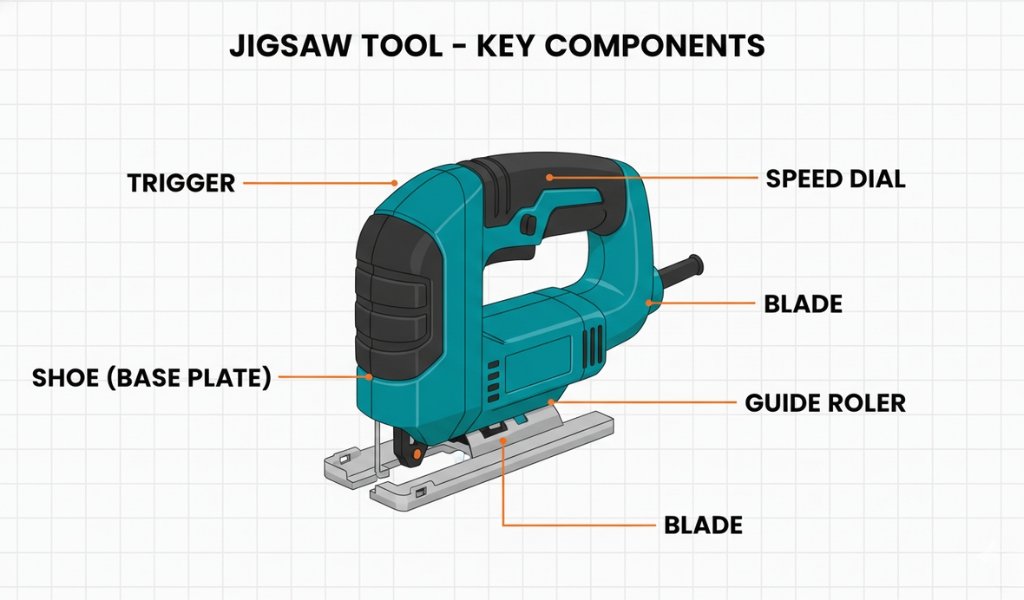
A jigsaw works by converting the motor’s power into rapid up-and-down blade movement. When you press the trigger, the motor drives an internal mechanism that moves the blade through repeated strokes. The teeth on the blade cut the material as the saw moves forward.
The blade passes through an opening in the shoe, which rests against the surface of the material. The shoe supports the tool and helps maintain a steady cutting angle. You guide the saw along the intended path while keeping the base flat against the workpiece.
Many jigsaws also have adjustable speed settings. A higher speed can help with suitable wood-cutting tasks, while a slower setting may be more useful for certain metals and plastics. The correct setting depends on the material, blade, and manufacturer’s instructions.
Some models include orbital action. This feature changes the blade’s movement so it also moves slightly forward during part of its cutting cycle. Orbital action can make cutting some types of wood faster, but it may produce rougher edges. Turning it off is often useful when making cleaner cuts or working with metal.
Source: toolstale.com
Electric Motor
The motor supplies the power needed to move the blade rapidly. Jigsaws may use a corded power supply or a rechargeable battery.
Blade
The narrow blade has teeth designed for particular materials and cutting tasks. It moves through the workpiece to create the cut.
Shoe or Base Plate
This flat part rests against the work surface and helps support the tool while you guide it.
Blade Clamp
The clamp holds the blade in place. Some models use a tool-free release system, while others require a tool.
Speed Control
This feature allows you to adjust blade speed for different materials and working conditions.
Guide Roller
The roller supports the blade near its back edge and helps control its movement during cutting.
What Is Orbital Action?
Orbital action changes the blade’s cutting path. Instead of moving only up and down, the blade follows a slight forward-and-back motion during its stroke. This can help the teeth remove wood chips more quickly.
A higher orbital setting can speed up rough cuts in suitable wood. However, it may create more splintering and a less polished edge. For metal, delicate work, and many clean cuts, a low or zero setting is usually more suitable.
Not every jigsaw has orbital adjustment. Check the manual for your exact model before changing any settings.
Low or No Orbital Action
Useful for cleaner cuts, tight curves, metal, and delicate work when supported by the blade manufacturer’s guidance.
Higher Orbital Action
Can help speed up some rough cuts in wood but may leave a rougher edge.
What Materials Can a Jigsaw Cut?
A jigsaw can cut several materials when you use a suitable blade. Common examples include solid wood, plywood, MDF, plastic, and certain metals. Some models and specialty blades can also handle materials such as laminate and ceramic tile.
The blade matters as much as the saw itself. A blade made for wood may cut poorly or become damaged when used on metal. Likewise, a blade intended for metal may cut wood more slowly than a suitable wood blade.
Material thickness is another important factor. A jigsaw’s cutting capacity depends on its motor, blade length, blade design, and model specifications. Never assume that every jigsaw can cut through a thick board simply because the blade appears long enough.
Before starting, check the tool manual and blade packaging. Both should identify suitable materials and any thickness limits. If you are unsure, test the setup on a scrap piece of the same material.
Source: homebuilding.co.uk
Solid Wood
Jigsaws can cut boards used for shelves, furniture, signs, craft projects, and home repairs. Choose a blade suitable for the wood type and thickness.
Plywood
A jigsaw can cut plywood into curved panels, decorative shapes, and smaller parts. A fine-tooth or specialty clean-cut blade can help reduce splintering.
MDF and Particleboard
These manufactured wood products can be cut with suitable blades. Control dust and use appropriate respiratory protection.
Plastic
Some plastics can be cut with a fine-tooth blade. A suitable speed helps reduce heat that could melt or damage the material.
Metal
A jigsaw with a metal-cutting blade can cut certain thin metal sheets and other approved metal materials. Follow the blade and tool thickness limits.
Laminate
Suitable blades can cut laminate panels and flooring. Use a clean-cut method and test on scrap to reduce damage to the visible surface.
Ceramic Tile
Certain jigsaws can cut compatible ceramic materials with specialty grit-edge blades. This is not suitable for every tile or jigsaw, so verify compatibility first.
Which Jigsaw Blade Should You Use?
Choose a blade based on the material, its thickness, and the finish you want. Tooth count is one useful factor. Blades with fewer teeth per inch generally remove material faster, while finer teeth can produce a smoother edge in suitable materials.
Blade shape also matters. Narrow blades are easier to guide around tight curves, while wider blades can offer better control on straight paths. Some blades have reverse-facing teeth to help reduce chipping on the upper face of a panel.
Check the blade fitting before buying replacements. Many modern jigsaws use T-shank blades, but some older or specific models use different mounting systems.
Wood-Cutting Blade
Designed for solid wood and common wood-based panels. Tooth spacing varies with the desired cutting speed and finish.
Metal-Cutting Blade
Usually has fine teeth for cutting suitable metal sheets and profiles.
Plastic-Cutting Blade
Uses a tooth design suited to compatible plastic materials and helps control heat and surface damage.
Clean-Cut Blade
Designed to reduce splintering on suitable finished panels and visible surfaces.
Narrow Scroll Blade
Useful for tight curves and detailed patterns, provided the material and blade capacity are suitable.
What Are the Main Uses of a Jigsaw?
A jigsaw is useful for projects that need flexible cutting rather than only long, straight lines. Homeowners, hobbyists, and woodworkers use it to shape panels, make openings, trim parts, and create decorative designs.
Its greatest advantage is the ability to follow a drawn pattern. For example, you can mark a rounded corner on a plywood shelf and guide the saw along that line. You can also make a curved tabletop edge or cut a decorative shape from a wooden panel.
The tool is useful for repair work, too. A suitable jigsaw may help trim a damaged board, adjust a wooden panel, or create an opening for a compatible fixture. Always check what lies behind or below the material before cutting.
Although a jigsaw can perform many tasks, it is not a substitute for every saw. Long, precise rip cuts and repeated identical cuts are often easier with a circular saw, track saw, or table saw.
Trim suitable wooden panels, shape replacement parts, and adjust materials during small repair projects.
Countertop Openings
Cut openings for compatible sinks or other fixtures when the countertop material and installation instructions permit jigsaw cutting.
Craft Projects
Create wooden signs, ornaments, templates, and custom shapes from suitable sheet materials.
Flooring Work
Make shaped cuts around obstacles and edges in compatible laminate or wood flooring products.
Garden Projects
Shape wooden planter panels, outdoor signs, and other suitable garden project materials.
Plumbing and Electrical Cutouts
Make openings in suitable panels for approved fixtures or fittings. Check for hidden pipes, cables, and other hazards before cutting.
Can a Jigsaw Cut Circles and Curves?
Yes. Cutting curves and circles is one of the main reasons to use a jigsaw. Its narrow blade can turn along a curved path more easily than the wide blade of a circular saw.
To cut a curve, draw the shape on the material and secure the workpiece with clamps. Select a narrow blade that is suitable for the material, then guide the saw slowly along the marked line. Avoid twisting the tool because this can bend the blade and make the cut uneven.
For a circular opening, you can drill a starter hole inside the waste area. The hole must be large enough for the blade to enter without forcing it. Insert the blade through the hole, start the saw safely, and guide it around the marked shape.
Some experienced users make plunge cuts when the tool, blade, material, and instructions permit this method. Beginners should use a drilled starter hole instead of attempting an unfamiliar plunge cut.
Mark the Shape
Draw the complete curve or circle clearly before starting.
Secure the Material
Clamp the workpiece so it cannot shift during cutting.
Choose a Suitable Blade
Use a narrow blade when the curve is tight, while staying within the blade’s cutting limits.
Guide the Saw Slowly
Keep the shoe flat and follow the line without forcing or twisting the blade.
Finish the Edge
Use sandpaper or another suitable finishing method to smooth small imperfections.
Can a Jigsaw Make Straight Cuts?
Yes. A jigsaw can cut straight lines through boards, plywood, and other compatible materials. However, keeping the cut perfectly straight can be harder than it is with a circular saw or table saw.
A straightedge or compatible guide can help control the saw. Mark the cutting line, measure the distance between the blade and the guide surface, and position the guide accordingly. Make a test cut on scrap material before cutting an important workpiece.
For a long, clean cut, a track saw or circular saw with a suitable guide may be a better option. A jigsaw is generally more useful when the cut changes direction or the project requires a custom shape.
Short Straight Cuts
Suitable for trimming small panels and cutting shorter pieces.
Guided Cuts
A straightedge can help the saw follow a more consistent path.
Long Precision Cuts
Consider a circular saw or track saw when a long, accurately straight edge is important.
How to Use a Jigsaw for Basic Cutting
Using a jigsaw starts with choosing the correct blade and preparing the work area. You do not need advanced woodworking skills to make a basic cut, but careful setup is essential. A secure workpiece and a clear cutting path make the task easier to control.
Before starting, read the instructions for your exact jigsaw. Different models can have different blade systems, speed controls, shoe adjustments, and operating requirements. Never assume that all jigsaws work in exactly the same way.
For a beginner, a simple cut through a scrap piece of plywood is a good way to learn how the saw responds. Practice keeping the shoe flat and moving the tool forward without pushing too hard.
Source: saxtonblades.co.uk
Safety Glasses
Protect your eyes from wood chips, metal fragments, and other particles.
Hearing Protection
Use suitable earplugs or earmuffs when the noise level and exposure require them.
Dust Protection
Control dust with suitable extraction and respiratory protection based on the material and working conditions.
Clamps
Hold the material securely so it does not move while the blade is cutting.
Correct Blade
Choose a blade approved for the material, thickness, and type of cut.
Step 1: Prepare the Material
Place the material on a stable work surface. Mark the cutting line with a pencil and check your measurements before turning on the saw.
Support the workpiece so the blade can pass through it without striking the bench or another object. Check the area below the cutting path for electrical cords, tools, clamps, and other obstructions.
Check the Surface
Make sure the material is suitable for cutting and does not have hidden hazards in the intended path.
Mark the Cut
Draw a clear line and identify which side contains the waste material.
Step 2: Install the Correct Blade
Disconnect the corded tool from its power source or remove the battery before changing the blade. Follow the manufacturer’s blade installation instructions.
Check that the blade is properly seated and locked. A loose or incorrectly installed blade can cause poor cutting performance and create a safety hazard.
Check Blade Condition
Do not use a bent, damaged, or badly worn blade.
Check Compatibility
Make sure the blade fitting and cutting capacity match the jigsaw.
Step 3: Secure the Workpiece
Use suitable clamps to hold the material firmly. The workpiece should not slide, lift, or vibrate excessively when the blade moves through it.
Keep clamps outside the cutting path and make sure the blade has enough clearance underneath the material.
Prevent Movement
A stable workpiece helps produce a straighter cut and reduces the chance of sudden movement.
Step 4: Set the Speed and Cutting Mode
Select a suitable speed for the material and blade. If your saw has orbital adjustment, choose a setting recommended for the job. A low or zero orbital setting is often useful for delicate work and metal cutting.
Use a scrap piece to check the result when the material, blade, or settings are unfamiliar.
Avoid Guessing
Use the tool and blade instructions as your starting point instead of relying on one speed for every material.
Step 5: Start the Cut
Position the shoe flat on the workpiece, with the blade near the beginning of the cutting line but not pressed against the material. Hold the saw securely with both hands where the design allows.
Start the saw according to its instructions and let the blade reach the selected operating speed before beginning the cut. Guide the tool forward with light, steady pressure.
Keep the Shoe Flat
The base should remain in contact with the material to help control the saw.
Step 6: Follow the Cutting Line
Move the jigsaw forward at a steady pace. Watch the blade and the cutting line rather than trying to push the tool through the material quickly.
For curves, use gradual movements and allow the blade to follow the path naturally. Forcing the saw sideways can bend the blade and produce an uneven cut.
Use Light Pressure
Let the blade remove the material at its own cutting rate.
Stay on the Waste Side
When accuracy matters, cut slightly outside the finished line and sand toward it.
Step 7: Finish and Inspect the Cut
When the cut is complete, release the trigger and wait until the blade stops moving. Remove the saw carefully without pulling a moving blade out of the material.
Inspect the edge for rough areas, splinters, or uneven sections. Use suitable sandpaper or a finishing tool if needed. Disconnect power before cleaning or adjusting the saw.
Check the Result
Look for blade marks, splintering, and areas that need additional finishing.
Clean the Tool
Remove dust and debris according to the manufacturer’s maintenance instructions.
What Are the Limitations of a Jigsaw?
A jigsaw is versatile, but it is not designed to handle every cutting task. Its narrow blade can bend during cutting, especially when the user applies too much forward or sideways pressure. This can create a cut that looks straight on top but is not square through the full thickness of the material.
The tool can also leave rough edges. Even when you follow the marked line, the teeth may cause splintering or tear-out. This is more likely with unsuitable blades, aggressive orbital settings, or materials that have a fragile finished surface.
Cutting capacity is another limit. A small jigsaw may struggle with thick or dense material. Always check the maximum cutting depth listed for your model and the blade’s recommended capacity.
A jigsaw is also less efficient for long, repeated straight cuts. It can complete those jobs, but another saw may offer better control, speed, and consistency.
Source: bunnings.com.au
Blade Deflection
The blade can bend under excessive pressure, producing an angled or uneven cut.
Rough Edges
Some blades and cutting settings leave splinters or rough surfaces that need sanding.
Limited Cutting Depth
The tool can only cut materials within its rated capacity.
Less Accuracy on Long Cuts
A jigsaw can wander from a straight line, especially without a suitable guide.
Material Restrictions
Not every blade or model can safely cut every material. Specialty applications require verified compatibility.
Jigsaw vs. Circular Saw: Which Should You Use?
Choose a jigsaw when the project involves curves, circles, decorative patterns, or openings inside a panel. Choose a circular saw when you need long, straight cuts through boards or sheet materials.
Neither tool is automatically better. The correct choice depends on the shape of the cut, the material, the level of accuracy, and the equipment available.
For example, a jigsaw is a practical choice for cutting a rounded corner on a shelf. A circular saw with a suitable guide is generally more appropriate for cutting a large plywood sheet into straight rectangular pieces.
Choose a Jigsaw
For curves, custom shapes, interior openings, and smaller detailed cuts.
Choose a Circular Saw
For long straight cuts, repeated board trimming, and breaking down large panels.
Choose a Table Saw
For controlled, repeatable straight cuts in a suitable workshop setup.
Common Jigsaw Cutting Problems and Solutions
If your cut is uneven, stop and inspect the setup rather than pushing harder. Many cutting problems come from a dull blade, an unsuitable blade type, an unstable workpiece, or excessive pressure.
The table below explains common symptoms and the first checks to make. Disconnect the tool from power before inspecting or changing the blade.
Crooked Cut
Check whether the blade is bent or dull. Reduce side pressure, secure the workpiece, and use a suitable guide for straight cuts.
Burn Marks
Check the blade condition, cutting speed, and feed pressure. A dull blade or excessive friction may cause heat buildup.
Splintered Surface
Try a suitable clean-cut blade, adjust the orbital setting, or use an appropriate backing or masking method.
Blade Stuck in Material
Release the trigger and wait for the blade to stop. Disconnect power before safely investigating the cause. Never pull or twist a running saw.
Rough Curves
Use a suitable narrow blade and move more slowly. Avoid forcing the blade around tight turns.
Jigsaw Safety: What Should You Know Before Using One?
A jigsaw has a fast-moving, exposed cutting blade, so safe handling is essential. Even a small blade can cause serious injuries if your hand enters its path or the material moves unexpectedly.
Wear safety glasses to protect your eyes from flying particles. Use hearing protection when needed, and control dust with suitable extraction and respiratory protection. The right protection depends on the material being cut and the conditions in your work area.
Keep both hands in safe positions on the tool and never place a hand in front of the blade. Secure the material with clamps instead of holding a small or unstable workpiece close to the cutting path.
Before cutting, check the area underneath and around the workpiece. The blade passes through the material, so it can damage a workbench, electrical cable, pipe, or another object if you have not checked the clearance.
Never change blades or adjust the tool while it is connected to power. Disconnect the cord or remove the battery first. After cutting, wait until the blade stops completely before setting the saw down or removing it from the workpiece.
Source: Bob Vila
Wear Eye Protection
Use suitable safety glasses to protect against chips and flying debris.
Secure Loose Clothing
Keep loose sleeves, jewelry, and long hair away from moving parts.
Clamp the Workpiece
Prevent the material from shifting during the cut.
Keep Hands Away
Never place your fingers near or in front of the moving blade.
Disconnect Before Maintenance
Remove the battery or unplug the tool before changing blades, making adjustments, or cleaning it.
Control Dust
Use suitable dust extraction and respiratory protection, especially when cutting MDF, treated materials, or other dust-producing products.
Follow the Manual
Use the manufacturer’s operating instructions for blade installation, settings, cutting capacity, and maintenance.
Can Beginners Use a Jigsaw?
Yes. A jigsaw can be a useful first power saw for beginners because it is handheld and can handle many small DIY cutting tasks. However, easy handling does not mean that the tool is risk-free.
Start with a simple straight cut through a suitable scrap board. Practice keeping the shoe flat, guiding the saw steadily, and avoiding excessive pressure. Once you understand how the tool responds, you can try gentle curves.
Do not begin with thick materials, difficult plunge cuts, or unfamiliar metal and plastic applications. Ask an experienced person for help when you are unsure about the setup or material.
Start Small
Practice on a scrap piece rather than an expensive project material.
Learn Blade Selection
Understand which blade is suitable for the material before starting.
Avoid Rushing
A steady cutting speed and light pressure help you maintain control.
How to Choose the Right Jigsaw for Your Project
The right jigsaw depends on the materials you plan to cut, how often you will use the tool, and the level of control you need. A basic model may be enough for occasional home repairs, while frequent woodworking may justify a model with more adjustment options.
The first choice is usually between corded and cordless designs. A corded jigsaw provides continuous power while connected to a suitable outlet. A cordless model offers more freedom to move around a work area, but its runtime depends on the battery and workload.
Handle design is another factor. Top-handle models have a traditional grip, while barrel-grip models place the user’s hand closer to the body of the tool. Comfort and control depend on the person, the cut, and the model.
Look at blade changes, speed control, orbital settings, shoe adjustment, dust extraction, and available blades. These features can affect how useful the tool is for your work, but they do not replace correct technique.
Source: YouTube > Training Hands Academy
Corded Jigsaw
Useful for longer sessions in a workshop where a suitable power outlet is available.
Cordless Jigsaw
Useful when portability and freedom from a power cord matter. Check battery compatibility and runtime.
Variable Speed
Allows you to adjust blade speed for different materials and cutting conditions.
Orbital Adjustment
Provides additional control over cutting action for suitable applications.
Tool-Free Blade Change
Can make blade replacement faster, provided the blade is installed and locked correctly.
Dust Extraction
Can help connect the saw to a compatible vacuum or dust collection system.
What Should You Check Before Buying?
Check the maximum cutting depth for the materials you expect to use. Also verify that replacement blades are easy to find and compatible with the blade holder.
Consider how the saw feels in your hands. A comfortable grip, manageable weight, and easy-to-reach controls can make a difference during longer projects.
Finally, read the operating manual before purchase when possible. It provides important information about the tool’s intended use, limitations, and maintenance requirements.
Cutting Capacity
Make sure the model can handle your intended material thickness.
Blade Compatibility
Check the blade fitting and availability of suitable replacement blades.
Comfort
Choose a handle and tool weight that you can control comfortably.
Useful Features
Consider variable speed, orbital adjustment, dust extraction, and shoe adjustment based on your actual projects.
Frequently Asked Questions
Q
What is the main purpose of a jigsaw?
The main purpose of a jigsaw is to cut curves, circles, patterns, and custom shapes in suitable materials. It can also make straight cuts, bevel cuts, and interior openings. Its narrow moving blade makes it especially useful for projects that need more flexibility than a basic straight cut.
Q
Can a jigsaw cut wood in a straight line?
Yes. A jigsaw can cut straight lines through wood, plywood, and other compatible materials. However, it may be harder to keep perfectly straight over long distances. A straightedge or compatible cutting guide can improve control, while a circular saw may be better for long, precise cuts.
Q
Can a jigsaw cut metal?
Yes, some jigsaws can cut suitable metal when fitted with the correct metal-cutting blade. The metal thickness must be within the limits of the tool and blade. Use the recommended speed and cutting method, and follow the manufacturer’s instructions. Never use an ordinary wood blade for metal cutting.
Q
Can a jigsaw cut circles?
Yes. A jigsaw can cut circles in suitable sheet materials. For an interior circle, drill a starter hole inside the waste area and insert the blade through it. Guide the saw around the marked shape without twisting or forcing the blade. A suitable narrow blade can help with tighter curves.
Q
Is a jigsaw better than a circular saw?
Neither tool is better for every job. A jigsaw is better suited to curved cuts, custom shapes, and interior openings. A circular saw is generally better for long, straight cuts through boards and large panels. Choose according to the shape, material, and accuracy required.
Q
Can a jigsaw cut thick wood?
A jigsaw can cut some thick wood, but its capacity depends on the model, blade length, blade design, and material. Check the manufacturer’s maximum cutting depth before starting. Do not force the tool through material that exceeds its rated capacity.
Q
Can a jigsaw cut plastic?
Yes. A jigsaw can cut certain plastics with a compatible fine-tooth blade. Use a suitable speed and avoid excessive pressure because friction can create heat and soften or melt the plastic. Test the setup on scrap material first.
Q
Can a jigsaw make angled cuts?
Yes. Many jigsaws have adjustable shoes that allow bevel cuts. Some models support angles up to 45 degrees, but the available range varies. Check the manual and lock the shoe securely before making an angled cut.
Q
What is the difference between a jigsaw and a reciprocating saw?
Both tools use a blade that moves back and forth, but their designs serve different purposes. A jigsaw has a supporting shoe and a narrow blade for controlled cuts in panels and shaped materials. A reciprocating saw is generally used for rough cutting, demolition, and removing materials.
Q
Do I need special blades for different jigsaw materials?
Yes. Different materials need blades with suitable tooth designs and cutting characteristics. Wood, metal, plastic, and specialty materials may require different blades. Always check blade compatibility, fitting type, and recommended material thickness before use.
✦ Wrapping Up
Conclusion
A jigsaw is a versatile handheld power saw that uses a narrow up-and-down moving blade to cut wood, plastic, metal, and other compatible materials. Its greatest strength is making curved cuts, circles, decorative patterns, and custom shapes that can be difficult to create with larger saws.
It can also make straight cuts, angled edges, and interior openings. The quality of the result depends on choosing the correct blade, setting the tool properly, securing the material, and guiding the saw with steady pressure.
However, a jigsaw is not the best choice for every project. A circular saw or table saw may provide better results for long, straight cuts, while a reciprocating saw is more suitable for many rough removal tasks. Understanding these differences helps you choose the right tool and avoid unnecessary mistakes.
💡 Key Takeaway
If you are new to using a jigsaw, begin with a simple cut in a scrap piece of plywood. Read your tool’s manual, install a suitable wood-cutting blade, clamp the material securely, wear protective equipment, and practice guiding the saw along a marked line. Once you can make steady cuts, try gentle curves and simple custom shapes.