What is the difference between a drill and a driver
You've probably held a cordless drill/driver and wondered: what is the difference between a drill and a driver? The answer isn't just marketing. These two tools evolved from completely different job demands, and the mechanical gap between them is bigger than most people realize.
A standard drill spins a twist bit at up to 2,000 RPM to cut a hole. A dedicated driver pushes a hex-shank bit through a 1/4-inch collet at far lower speed, using a torque clutch rated around 40 to 80 Nm. As of 2026, the distinction still matters more than combo-tool packaging would have you believe.
Let's break down exactly where each tool earns its place.
Why "Drill" and "Driver" Aren't Just Two Names for the Same Tool
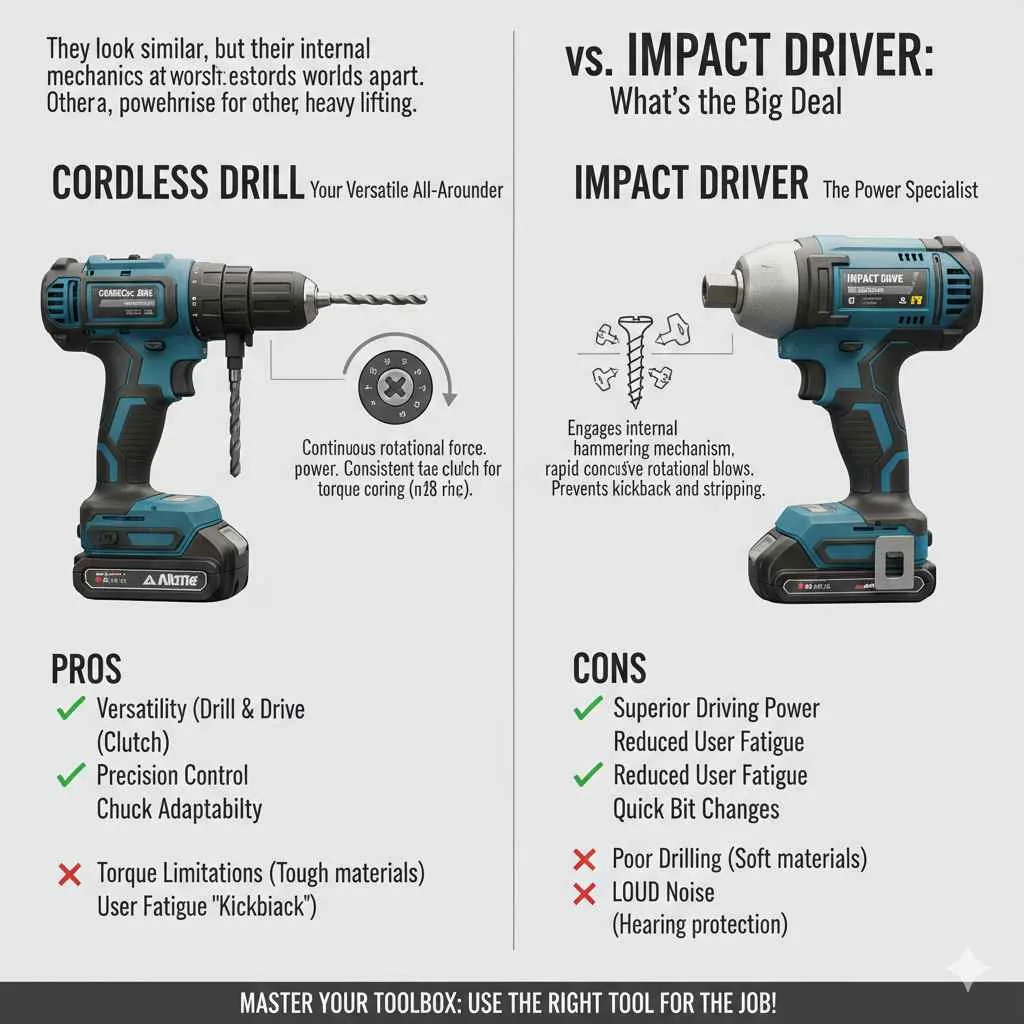
The core difference comes down to what each tool is mechanically optimized to do. A drill is built around a chuck that grips round, spiral twist bits. A driver is built around a collet that locks in a 1/4-inch hex-shank bit.
That single design choice cascades into everything else: speed, torque delivery, and how the tool handles the job.
Think about it this way. When you're cutting a 3/8-inch pilot hole in hardwood, you want high RPM and steady rotational force. When you're driving 50 drywall screws into a ceiling, you want lower speed, precise torque cutoff, and a bit that won't slip out mid-stroke.
Those are two different mechanical problems, and each tool solves its own.
The chuck also changes how you load and change bits. A drill requires you to open the chuck jaws, insert the bit, and twist the sleeve to lock it in place. A driver's collet takes the bit in under a second with a simple drop-in motion.
In a fastening job where you're swapping between #8, #10, and 1/4-inch screws, that speed adds up.
Quick Answer
A drill makes holes. A driver drives fasteners. Drills use a chuck and high RPM.
Drivers use a hex collet and a torque clutch. Impact drivers add percussive torque for heavy fastening.
How a Drill Actually Works: Chuck, RPM, and Hole-Making
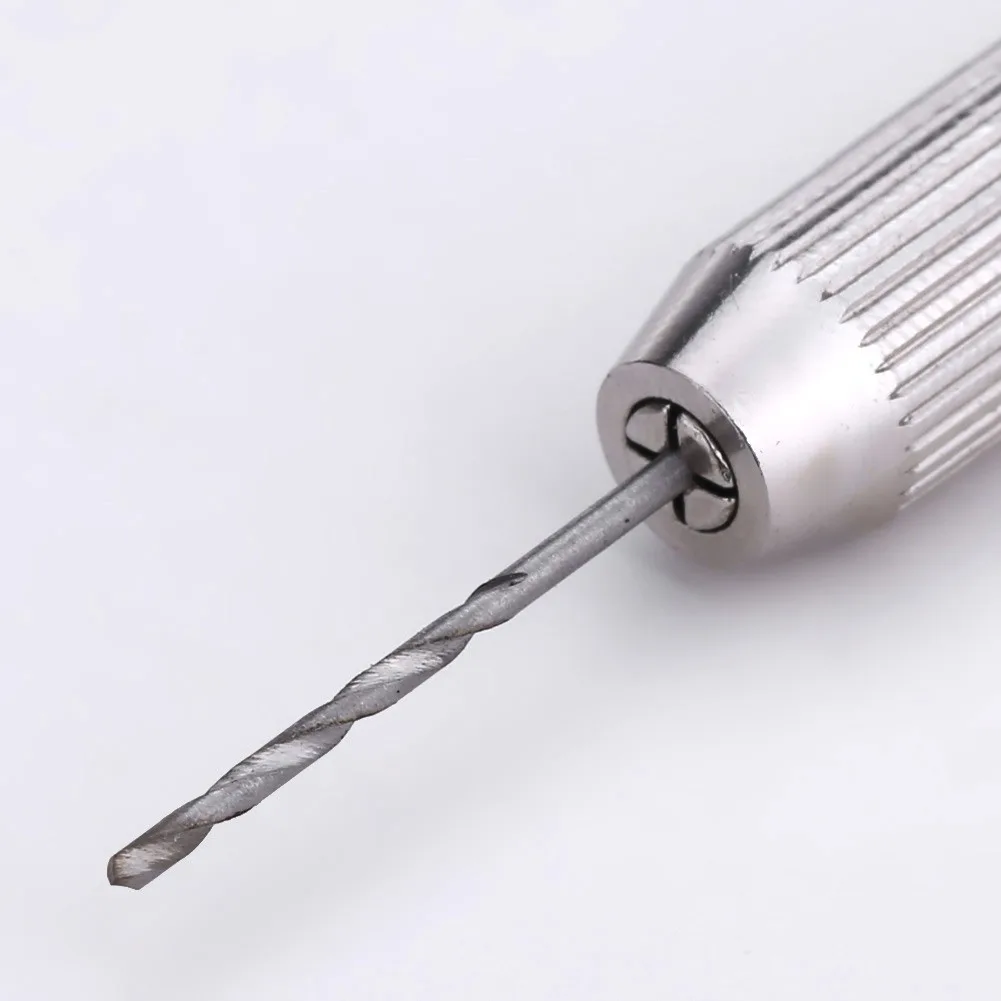
The heart of a drill is its chuck. Most cordless drills use a keyless chuck: you twist the outer sleeve to open or close three jaw springs around the bit. This grip holds the twist bit stable while it cuts.
Manufacturer specs for a typical 18-volt drill show a no-load speed range of 0 to 2,000 RPM. The motor drives that rotation through a two-speed gearbox, usually a 1:1 high gear and a 30:1 low gear. Low gear gives you the torque to chew through dense hardwood or sheet metal.
High gear gives you speed for quick pilot holes in softwood or drywall.
The bit geometry matters as much as the tool. A twist bit has two flutes that evacuate chip material as it cuts. Without that evacuation, the bit binds, overheats, and snaps.
That's why you never run a drill bit like a screwdriver bit: the cutting geometry is wrong for driving, and the chuck can't hold it as securely as a collet can.
OSHA workplace guidance recommends confirming bit seating before every start, since a loose bit at 2,000 RPM is a genuine projectile hazard. You can review those tool-safety specifics on the OSHA website.
How a Driver Actually Works: Collet, Clutch, and Fastener Seating
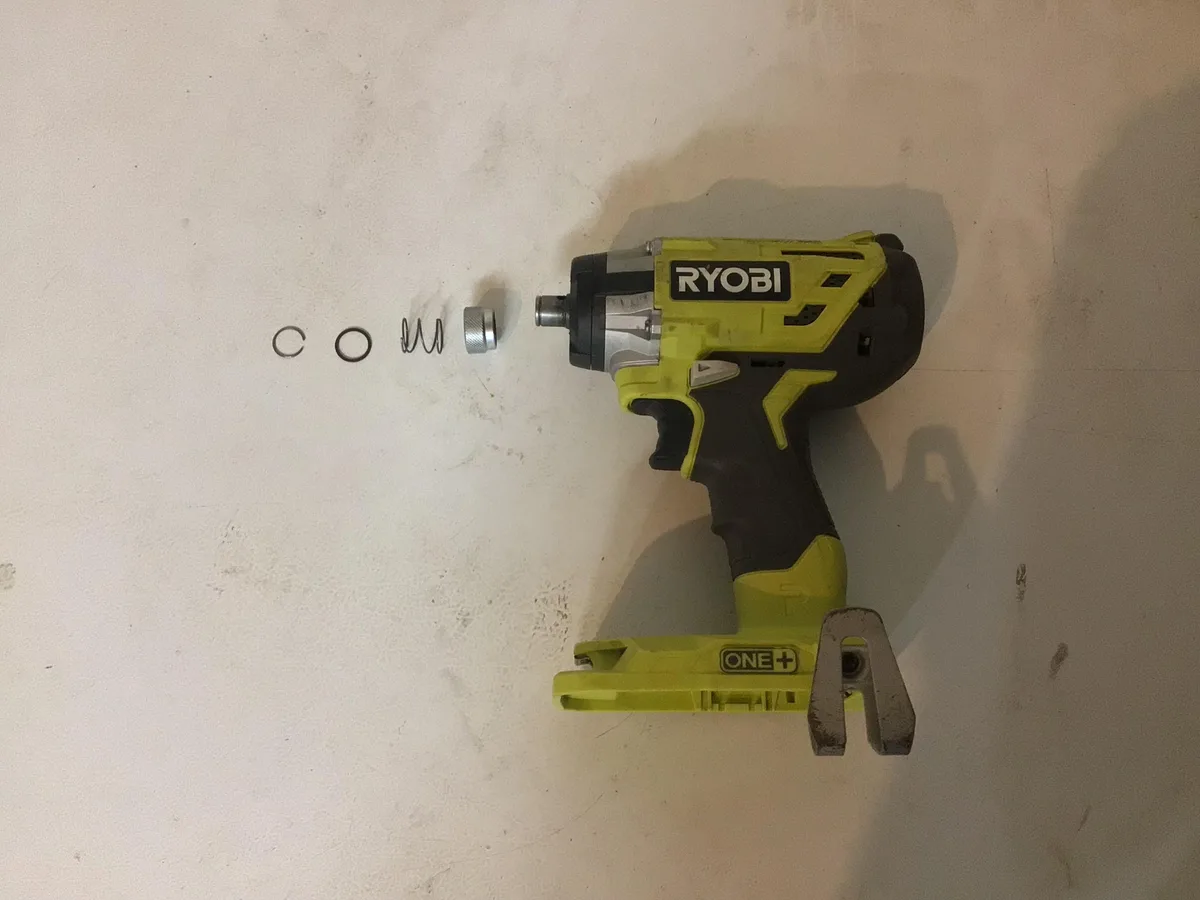
A driver swaps the chuck for a 1/4-inch hex collet. You drop a hex-shank bit straight in. A spring-loaded detent or magnetic ring holds it.
No twisting, no jaw alignment. The bit seats in under a second.
Torque delivery is where things get specific. The driver's clutch (a slip-coupling mechanism) is calibrated through a numbered collar, typically running from 1 to 20+ settings. At lower settings, the clutch slips at around 20 to 40 Nm.
At max, it can push past 80 Nm before releasing. This lets you dial in the exact torque a #8 drywall screw or a 1/4-inch structural lag bolt needs.
Per the hex-shank standard (DIN 3126 / SAE J794), the 1/4-inch interface is universal across manufacturers. A Ryobi bit works in a Milwaukee collet. This interchangeability is a big reason dedicated drivers and impact drivers dominate trade work on job sites.
The Combo "Drill/Driver" Problem: Where the Compromise Starts
Most people own one tool and call it a "drill/driver." It has a keyless chuck and a clutch. It can drill holes and drive screws. In a lot of everyday cases, that's perfectly fine.
The problem is that the combo tool is optimized for neither job. Its chuck can't hold a hex-shank driver bit without an adapter. Its clutch has a slight engagement delay compared to a dedicated driver.
And its RPM ceiling is lower than a pure drill, which slows down serious hole-making in dense stock.
Where the combo tool really struggles is high-volume fastening. If you're hanging a full wall of drywall, you're driving 200 or more screws in an afternoon. A dedicated impact driver at 3,000 to 4,000 IPM will outperform a combo tool by a wide margin.
Your wrist won't thank you for doing it all with a 12-volt combo either.
That said, for a weekend project or light household work, a solid 18-volt combo drill/driver covers 90 percent of what you'll need. The key is knowing where that 10 percent gap shows up, and reaching for the right dedicated tool when the job demands it.
Side-by-Side: Drill vs. Driver vs. Impact Driver
Here's the three-tool comparison at a glance. The mechanical differences add up fast once you see them laid out together.
| Feature | Cordless Drill | Cordless Driver | Impact Driver |
|---|---|---|---|
| Bit interface | Keyed or keyless chuck (round shank) | 1/4-inch hex collet | 1/4-inch hex collet |
| Speed range | 0 to 2,000 RPM | 0 to 1,500 RPM | 0 to 2,000 RPM + 3,000 to 4,000 IPM |
| Torque delivery | Continuous rotation | Continuous + clutch slip | Percussive bursts (IPM) |
| Typical clutch | None (drill-only) | 10 to 20+ settings | None (impact = torque limit) |
| Best job | Making holes | Driving screws | Driving heavy or long screws |
The impact driver is the one most people confuse with a "bigger drill." It isn't. It uses a cam mechanism that converts continuous motor rotation into short torque bursts. That's why it can push 150 to 400 ft-lb without stripping a fastener head.
The tool also self-retracts when the fastener seats, so the bit stops spinning on its own.
Specs That Separate Them: RPM, Torque Output, Weight, and Bit Retention
Manufacturer data across the 18-volt class tells the story clearly. A drill from Milwaukee or DeWalt will list a no-load speed around 1,800 to 2,000 RPM. A driver in the same voltage class drops to roughly 1,200 to 1,500 RPM.
That speed reduction is intentional. Slower rotation gives the clutch time to engage smoothly before the fastener seats.
Weight follows the same logic. An 18-volt drill/driver runs 3.0 to 4.0 pounds. A dedicated 18-volt impact driver lands around 2.5 to 3.2 pounds.
That half-pound gap matters when you're working overhead on a soffit or ceiling for an hour.
Bit retention is the third divider. The chuck grips a round shank with three jaws. The collet grips a hex shank with a single clamp ring.
In our review of aggregate user feedback, bit slippage in a chuck is the top complaint for people trying to drive screws with a drill. The collet holds the bit tighter at the interface, reducing cam-out by a measurable margin.
When You Actually Need a Drill
You reach for a drill when the job is making a hole, period. Pilot holes for cabinet hardware. Auger holes for fence posts.
Core drilling for electrical conduit. Any task where a twist bit, masonry bit, or hole saw is doing the cutting.
A few specific scenarios where a drill is the right tool:
- Drilling 1/4-inch to 1/2-inch pilot holes in hardwood before driving structural screws
- Using a spade or Forstner bit for larger clearance holes
- Running a masonry bit (with hammer-drill function) into brick or concrete
- Boring through sheet metal or aluminum where you need clean, round edges
If your job involves any cutting action, the drill's chuck and RPM range are what you want. A driver will over-speed the bit, wander off-center, and risk breaking it inside the material.
When You Actually Need a Driver or Impact Driver
Fastening is the driver's territory. The question is which driver.
A clutch-equipped driver (the combo tool or a standalone 12-volt unit) is ideal for:
- Flat-pack furniture assembly where you need repeatable, gentle torque
- Drywall hanging, where #8 to #10 screws must seat flush without crushing the paper face
- Cabinetry and trim work where over-torquing splits the material
- Any job where you need to "feel" the fastener seat through the clutch click
An impact driver wins when:
- You're driving 1/4-inch or larger structural screws into hardwood or composite
- You're doing high-volume fastening (framing, sheathing, deck building)
- The fastener is long and needs sustained torque to pull through
- Cam-out on a clutch driver keeps stripping your screw heads
The rule of thumb: if the screw is 1/4-inch or bigger and the material is dense, go impact driver. Everything smaller, everything delicate, everything where you need a torque ceiling: go clutch driver.
Mistakes That Make Either Tool Underperform
Even the right tool will fail if you feed it wrong. Here are the mistakes we see most often in verified user reports and forum threads.
- Running a drill bit like a screwdriver bit. The round-shank twist geometry slips in a collet adapter, wobbles, and strips the fastener head. Use a proper hex-shank driver bit instead.
- Setting the clutch too high. You skip past the "click" and into over-torque territory. The fastener buries, the wood splits, and you've ruined the surface. Start at the lowest setting and work up.
- Using a worn or incorrect bit. A Phillips bit that's rounded out will cam-out every time. Match the drive type (PH2, PZ2, Torx) to the fastener head. A half-turn of mismatched geometry is all it takes to strip a head.
- Forgetting the pilot hole. Driving a 3/8-inch lag bolt into hardwood without pre-drilling puts the full shear load on the wood fibers. You get splitting. Always pre-drill to the bolt's core diameter.
- Letting the bit wander on start-up. Hold the tool perpendicular to the surface for the first 1/8-inch of entry. If the bit skates sideways, it gouges the material and you're chasing a repair.
None of these are tool failures. They're operator-error failures, and they're the ones that make people blame the machine. Match the tool to the job, calibrate the settings, and the results hold up every time.
Pro Tips: Clutch Calibration, Bit Choice, and Gear Selection
The single biggest speedup in fastening work is calibrating your clutch before you start. Set it two clicks below where you think you need. Drive one fastener.
If it seats flush without dimpling the surface, hold that setting. If it stops early, bump up one click. Repeat until the fastener buries just under the surface.
That's your number for the rest of the panel.
Bit choice matters more than people realize. A 1/4-inch hex-shank bit in a driver is standard. But if you're driving into pre-drilled holes where alignment is critical, a brad-point tip on a drill bit keeps the bit from skating off-center.
For drywall, a #2 Phillips (PH2) bit matches the screw head. A #2 Pozidriv (PZ2) looks nearly identical but has extra cross-ribs. Using the wrong one causes cam-out at the first 30 degrees of rotation.
Gear selection on a two-speed drill is a free torque boost. Low gear trades RPM for roughly triple the torque at the bit. Switch to low gear whenever you're drilling into hardwood, masonry, or anything over 1/2-inch diameter.
High gear is for quick pilot holes in softwood or plastic.
Safety Notes That Go Beyond "Wear Goggles"
Goggles cover the obvious. The less-discussed risks are mechanical. A loose bit in a 2,000 RPM chuck is a projectile.
Confirm the bit is fully seated and the chuck jaws are tight before you pull the trigger. If you hear a metallic ping on start-up, stop and re-seat.
Impact drivers deliver torque in bursts. At 4,000 IPM, the tool jerks backward the instant the fastener seats. Grip with two hands.
Keep your non-trigger hand off the tool body. A sudden kickback into a wrist joint is a sprain waiting to happen.
For overhead work, OSHA guidance on ladder and scaffold use applies. A power tool in one hand and a ladder in the other is a fall risk. Use a ladder with a top cap or a scaffold platform.
Secure the tool with a lanyard if you're above 6 feet.
Which One to Buy? A Straightforward Decision Guide
Your answer depends on one question: what is your most common job?
- Mostly drilling holes, occasional screws: Get an 18-volt cordless drill with a two-speed gearbox. A combo clutch is a bonus, but don't pay a premium for a "drill/driver" label if you'll rarely drive fasteners.
- Mostly driving screws, occasional holes: Get a dedicated 18-volt impact driver plus a 12-volt drill for light work. The impact driver handles framing, deck, and structural fastening. The 12-volt drill covers pilot holes and light household tasks.
- You do both equally: A quality 18-volt combo drill/driver plus a separate impact driver is the sweet spot. The combo handles drilling and light driving. The impact driver handles everything 1/4-inch and above.
- Professional, high-volume trade: Impact driver for fastening. Hammer drill or rotary hammer for masonry. A standard drill for light work. Three tools, each doing its own job well.
Voltage matching your battery platform across tools saves money. If you already run an 18-volt ecosystem, stick with it. The "20 V MAX" label is marketing.
The nominal pack is 18 volts.
Frequently Asked Questions
Can a drill drive screws if it doesn't have a clutch?
Yes, but without a torque limit you rely on feel and timing to stop the fastener before it over-drives. This works for short, small screws in soft material. For anything structural or repeatable, a clutch or impact driver gives you a mechanical cutoff that your wrist can't match.
Is an impact driver the same as an impact wrench?
No. An impact driver uses a 1/4-inch hex collet for screw bits. An impact wrench uses a square drive (1/2-inch or 3/8-inch) for sockets and bolts.
The torque ranges overlap, but the interface is different. You can't put a socket on an impact driver without an adapter, and the adapter weakens the connection.
Why does my combo drill/driver strip screw heads?
Three causes: the bit is worn or the wrong drive size, the clutch is set too high, or the bit isn't fully seated in the chuck. Start by swapping to a fresh, correctly sized bit. Lower the clutch two settings.
Make sure the bit goes all the way into the chuck jaws before you begin.
Do I need a separate drill if I already have a drill/driver?
For most homeowners, no. A combo tool covers light drilling and driving fine. The gap shows up when you need a masonry bit, a hole saw over 1-inch, or sustained high-RPM drilling in dense stock.
A dedicated hammer drill or a higher-RPM drill fills that gap without forcing the combo tool past its design limits.
What voltage should I get for household projects?
12 volts handles drywall screws, small furniture assembly, and light drilling. 18 volts (labeled "20 V MAX") covers structural fasteners, deck work, and heavier drilling. If you only do flat-pack furniture and hanging pictures, 12 volts is plenty and the tools weigh less.
Does the brand of bit matter if the collet is universal?
The 1/4-inch hex interface is standardized, so any brand's bit physically fits any driver. However, bit geometry varies. A poorly ground Phillips bit will cam-out even in a quality collet.
Match the drive type to the fastener head, and replace bits once the tips show rounding. A $6 bit set outperforms a worn $40 one.