A cordless drill is used to drill holes, drive screws, assemble furniture, and handle many home repair and DIY jobs without a power cord.
From assembling a bookcase in a Chicago apartment to fixing a loose cabinet handle in a Texas home, a cordless drill can make common repairs much easier. It runs on a rechargeable battery, so you can move around a room, work in a garage, or reach a spot without searching for a wall outlet. For many American homeowners and renters, it is one of the most useful power tools to keep nearby.
The main jobs are simple: make holes, drive screws, and fasten parts together. With the right bit, a suitable speed setting, and enough battery power, many drills can also handle light metalwork, plastic, and selected masonry tasks. The key is knowing what your drill can do, which accessory to use, and when another tool is a better fit.
Source: movieforums.com
What Is a Cordless Drill?
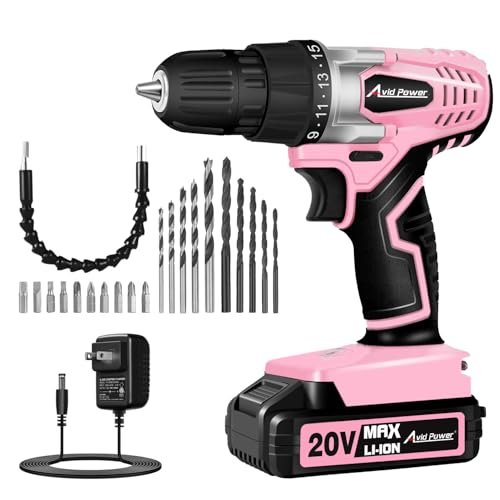
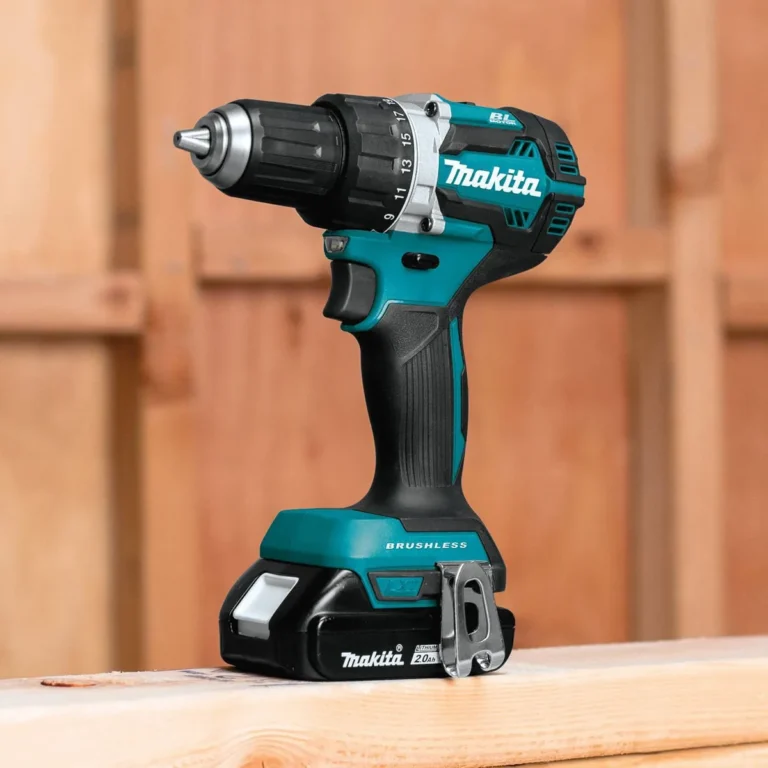
A cordless drill is a handheld power tool that uses a rechargeable battery to turn a drill bit or driver bit. Its motor supplies the rotation needed to make holes or turn screws. Since it does not need a power cord, you can carry it around your home, workshop, yard, or job site.
Most cordless drills have a handle, trigger, battery, chuck, speed control, and forward-and-reverse switch. Many also have an adjustable clutch and a gearbox with two speed ranges. Each part helps you control how the tool works.
The chuck is the part at the front that holds the bit. A keyless chuck lets you tighten or loosen it by hand on most consumer models. The trigger controls speed on many drills, while the clutch helps limit turning force when driving screws.
A cordless drill is different from a cordless impact driver. A drill mainly provides steady rotation, while an impact driver adds rotational impacts to help drive long or stubborn fasteners. Some drills also have a hammer mode for masonry, but that feature does not make every drill suitable for concrete.
Source: bloody-disgusting.com
Battery
Supplies power to the motor. Runtime depends on battery capacity, tool load, battery condition, and how you use the drill.
Chuck
Holds the drill bit or driver accessory. Check its stated capacity before choosing a bit with a larger shank.
Trigger and speed control
Help you start slowly and adjust rotation to suit the material and task.
Clutch
Limits applied torque at a selected setting, helping prevent overdriven screws and damaged materials.
How Does a Cordless Drill Work?
When you press the trigger, the battery sends power to the motor. The motor turns a gearbox, which transfers rotation to the chuck and the attached bit. The bit then cuts into a material or engages a screw head.
Low speed with greater torque is useful for many screw-driving jobs. Higher speed is often useful for drilling smaller holes in suitable materials. The correct setting still depends on the bit, material, and instructions for your specific drill.
What Is a Cordless Drill Used For Around the Home?
A cordless drill is useful for many everyday household jobs because it can make holes and drive fasteners with less effort than a hand screwdriver. It is especially handy when a task calls for several screws or requires repeated holes of a similar size.
You do not need to be a professional carpenter to use one. Start with a small project, learn how the trigger and clutch respond, and work on scrap material before drilling into a finished surface.
Source: www.cinemablend.com
Furniture assembly
Drive screws when building desks, tables, bed frames, shelves, and flat-pack furniture. Use a low clutch setting at first to avoid stripping screw heads or crushing particleboard.
Cabinet repairs
Tighten suitable loose hardware or install replacement handles and knobs. Use a hand screwdriver for delicate adjustments when greater control is needed.
Shelf installation
Drill pilot holes and drive screws for shelf brackets. Select the right anchors and fasteners for the wall material, and locate studs when the installation calls for them.
Picture and curtain hardware
Make suitable mounting holes and install hardware. Confirm that the wall is clear of hidden wires and pipes before drilling.
Door and gate repairs
Replace compatible hinges, handles, and other screw-fastened parts. Keep the bit aligned with the screw to reduce slipping and damage.
General maintenance
Handle small repairs involving screws, brackets, hinges, and other fittings that are suitable for a drill.
Can You Use a Cordless Drill to Assemble Furniture?
Yes. Furniture assembly is one of the most common uses for a cordless drill. A driver bit that matches the screw head can save time when a project involves many fasteners.
However, more power is not always better. Furniture made from particleboard, MDF, or thin wood can split or suffer surface damage if you drive screws too hard. Start slowly, use the clutch, and finish delicate screws by hand when needed.
Can You Use a Cordless Drill to Hang Shelves?
Yes, provided the drill, bit, wall material, and mounting hardware are suitable. A drill can make pilot holes in wood studs and other approved materials, while a driver bit can help fasten brackets.
The drill alone does not make a shelf secure. The fastener must suit the wall, expected load, and bracket design. Before drilling, check for electrical wiring, plumbing, and other hidden services. If you cannot establish a safe drilling location, stop and seek qualified help.
Using a Cordless Drill for Woodworking
A cordless drill is a practical tool for many woodworking projects. It can make holes for screws, assemble wooden frames, attach hardware, and help prepare pieces for larger builds. The right bit makes a major difference in hole quality and the amount of effort required.
For example, when building a basic wooden planter or garage storage rack, you may need pilot holes to help prevent splitting. A drill can also make larger holes for selected fittings when fitted with a suitable spade bit or hole saw within the tool’s limits.
Wood varies in hardness, thickness, and grain. Softwood may drill easily, while hardwood can demand more effort and careful speed control. Knots and end grain may also change how the bit cuts, so avoid forcing the tool if progress slows.
Source: cinemacomrapadura.com.br
Pilot holes
Create a small guide hole before driving a screw. This can help reduce splitting and make it easier to place the fastener accurately.
Clearance holes
Make holes that allow a screw to pass through one piece while the threads grip another piece, when the joint design calls for it.
Large holes
Use a suitable spade bit or hole saw for openings in wood, while checking the drill’s capacity and the accessory maker’s instructions.
Wooden furniture and frames
Join parts, install hinges, and attach brackets or other hardware with suitable screws.
Why Are Pilot Holes Useful?
A pilot hole gives a screw a path into the wood. It can lower the force needed to drive the screw and reduce the chance of splitting, especially near board edges or in hardwood.
The ideal hole size depends on the screw, wood species, and joint. A hole that is too small may make driving difficult, while one that is too large may weaken the screw’s grip. Follow the fastener maker’s guidance or test the size on scrap wood.
How Do You Drill a Clean Hole in Wood?
Mark the hole location, clamp the workpiece, and choose a sharp bit designed for wood. Hold the drill square to the surface unless the project calls for an angled hole. Start at a controlled speed and let the bit cut without excessive pressure.
When drilling through a board, place scrap wood beneath it when practical. This backing can help reduce tear-out as the bit exits the far side. Keep your hands clear of the bit and never hold a small loose piece close to the cutting point.
Can a Cordless Drill Make Holes in Metal?
Yes. A suitable cordless drill can make holes in many thin metal sheets and smaller metal parts when fitted with a drill bit designed for metal. Common jobs include making holes in aluminum, drilling suitable steel stock, and preparing parts for bolts or screws.
Metal drilling requires more care than many simple wood projects. The bit must suit the metal, the workpiece must be secured, and the speed must match the bit and material. Metal chips can be sharp, and the workpiece may become hot during drilling.
For thicker steel, large holes, or repeated heavy-duty work, check the drill’s rated capability and consider a more suitable tool. A standard household drill may stall or overheat when pushed beyond its limits.
Source: blick.ch
Choose the correct bit
Use a bit rated for the metal being drilled, such as an appropriate high-speed steel bit. Some harder materials may require a different bit type.
Secure the workpiece
Use a vise or suitable clamps. Never hold a small metal part in your hand while drilling.
Control the speed
Follow the bit maker’s speed guidance. For many metal-drilling jobs, lower speeds are appropriate, particularly with larger bits.
Manage chips and heat
Wear safety glasses, keep loose clothing away from moving parts, and use an appropriate cutting fluid only when permitted for the material and tool.
Can You Drill Through Stainless Steel?
Some cordless drills can drill stainless steel, but the result depends on the drill’s power, the metal’s thickness and grade, the bit, and the drilling method. Stainless steel can work-harden when the bit rubs against it without cutting effectively.
Use a sharp, suitable bit and a controlled speed. Apply steady pressure that allows the bit to cut, but do not force the drill. If the bit stops cutting, the workpiece moves, or the tool becomes unusually hot, stop and reassess the setup.
Can You Use a Cordless Drill on Plastic and Masonry?
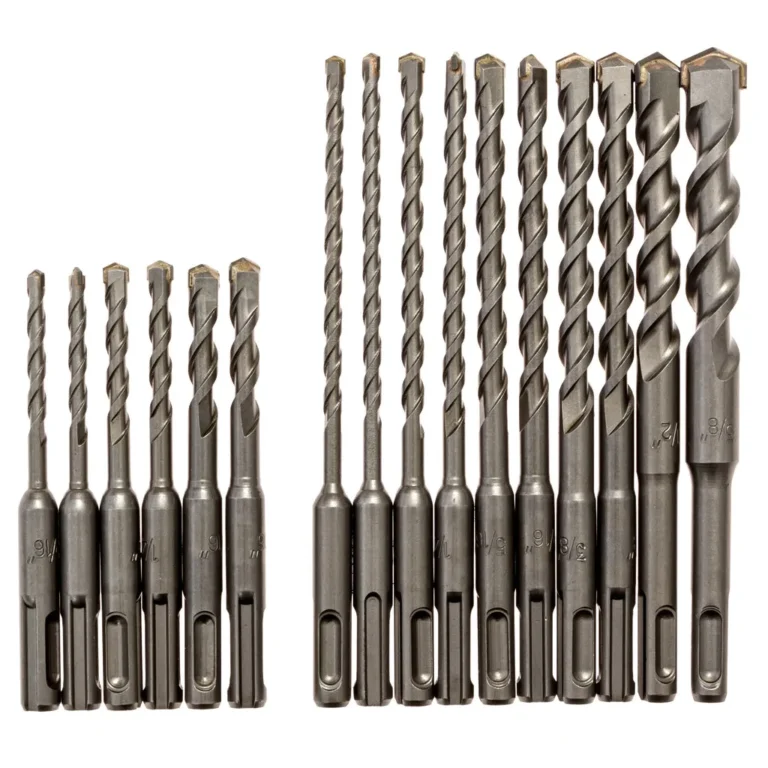
A cordless drill can work on some plastics and masonry, but the right method depends on the material and the drill’s features. Plastic often needs careful speed control to prevent melting or cracking. Masonry usually requires a suitable masonry bit, and dense materials may call for a hammer drill or rotary hammer.
Do not assume that a drill’s hammer mode makes it suitable for every concrete job. Hammer drills combine rotation with rapid forward impacts, but their capability varies. Rotary hammers are designed for more demanding masonry and concrete work.
Source: movieweb.com
Plastic
Use a sharp bit suited to the plastic, support the material, and drill at a controlled speed to limit heat and cracking.
Brick
Use a masonry bit and a drill rated for the task. Check the brick condition and mounting requirements before starting.
Concrete
A basic drill without hammer action may struggle. Use a suitable hammer drill or rotary hammer when the material and hole size require it.
Tile
Use a bit designed for the tile type and avoid hammer action unless the tool and method specifically permit it. Tile can crack under excess pressure.
Is a Cordless Drill the Same as a Hammer Drill?
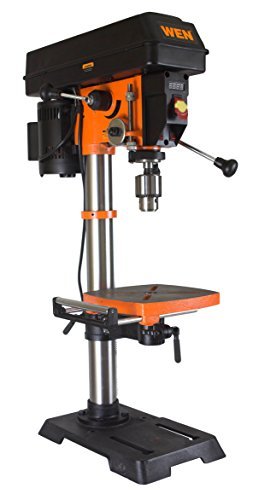
No. A standard cordless drill mainly rotates the bit. A hammer drill adds a hammering action that helps the bit work into suitable masonry. Some models combine standard drilling, screw driving, and hammer drilling in one tool.
A regular drill may handle small holes in softer masonry under suitable conditions, but performance can be slow. For frequent concrete drilling, larger holes, or hard material, choose a tool designed for the job rather than forcing a standard drill.
Cordless Drill Uses at Work and in the Garage
Beyond home repairs, cordless drills are useful in garages, workshops, and many light construction tasks. Their portability makes them practical when parts need to be moved, a work area has few outlets, or a job requires repeated fastening in different locations.
A drill can help assemble storage racks, attach approved brackets, build workbenches, install cabinet hardware, and complete selected repair tasks. Professionals may also use cordless drills for suitable installation work, though heavy production work can call for more powerful or specialized tools.
Vehicle maintenance requires extra caution. A drill may be suitable for some accessory installation or small repair tasks, but it is not a general replacement for automotive tools. In particular, ordinary cordless drills are not designed to loosen or tighten wheel lug nuts to the required torque.
Source: www.aol.com
Garage storage
Assemble storage units, attach compatible brackets, and build work surfaces using suitable fasteners and mounting methods.
Workshop projects
Drill holes in suitable wood or metal parts and fasten components for small builds and repairs.
Outdoor projects
Build planters, repair wooden gates, or assemble approved outdoor fittings with fasteners rated for the environment.
Light installation tasks
Make suitable mounting holes and secure non-electrical hardware after confirming that the work area is safe.
Can a Cordless Drill Replace an Impact Driver?
A cordless drill can drive many screws, so an impact driver is not necessary for every project. For furniture assembly, small repairs, and ordinary fastening, a drill with a suitable driver bit often works well.
An impact driver is usually better suited to repeated driving of long screws or other demanding fasteners. Its rotational impacts help deliver turning force, but they can also damage delicate materials if used carelessly. Choose the tool based on the fastener, material, and level of control required.
How to Choose the Right Cordless Drill Setting
The right setting helps you control the tool and reduce damage to the material. Most drills offer a speed selector, a forward-and-reverse switch, and a clutch. Some models also include a hammer mode or extra electronic controls.
Before starting, read the drill manual and check the accessory instructions. A speed that works for a small wood bit may be unsuitable for a large hole saw or a metal bit. If the drill begins to stall, overheat, or vibrate more than expected, stop rather than forcing it.
Speed and Gear Selection
Many cordless drills have two mechanical speed ranges. The lower range generally gives more torque and is useful for many screw-driving jobs. The higher range generally gives faster rotation and suits many smaller drilling tasks.
These are general rules, not fixed settings for every material. Follow the drill and bit makers’ guidance, especially for large bits, metal drilling, or accessories that place a heavy load on the motor.
Low gear
Often useful for driving screws, working with larger bits, and tasks that call for more controlled turning force.
High gear
Often useful for smaller drill bits and tasks that need higher rotation speed.
How the Clutch Helps
The clutch helps limit the turning force applied during screw driving. If resistance reaches the selected threshold, the clutch may slip rather than continue driving the screw with full force. This can help protect the fastener and the material.
Start with a lower clutch setting and test it on scrap material. Increase the setting only as needed. For drilling holes, use the drill mode specified by the manufacturer rather than assuming a screw-driving clutch setting will work well.
Which Bit Should You Use?
The bit must match the job. A drill bit cuts a hole, while a driver bit engages a screw head. Some accessories can do specialized tasks, but a general-purpose bit is not suitable for every material.
Check the bit shank, chuck capacity, material rating, and any speed limits before use. Replace dull, bent, damaged, or poorly fitting bits instead of trying to compensate with extra force.
Twist drill bit
A common choice for drilling holes in suitable wood, metal, and some plastics when the bit is rated for the material.
Brad-point bit
Designed for wood and often useful when accurate hole placement and clean entry matter.
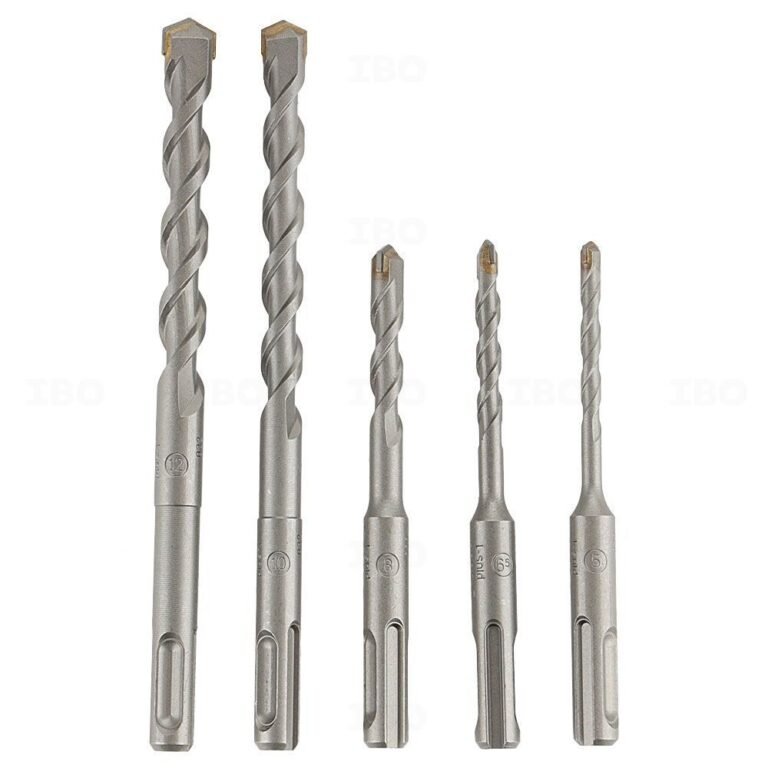
Masonry bit
Designed for suitable brick, block, and masonry tasks when used with a compatible drill.
Driver bit
Fits a screw head, such as Phillips, slotted, square, or Torx, to help drive or remove the fastener.
Spade bit or hole saw
Makes larger holes in compatible materials, subject to the tool’s capacity and the accessory maker’s instructions.
Cordless Drill vs. Corded Drill vs. Impact Driver
These tools can overlap, but each has strengths. A cordless drill offers mobility, a corded drill can provide continuous power without battery changes, and an impact driver is built to handle many demanding screw-driving tasks.
For a homeowner who mainly assembles furniture, hangs suitable hardware, and completes small repairs, a cordless drill is often a practical starting point. For long periods of heavy drilling, a corded model or a more specialized tool may be a better fit.
Quick Tool Comparison
Use this comparison to choose a tool based on the job rather than assuming one tool can handle every task. Actual performance depends on the model, battery, accessories, and material.
Cordless drill
Best suited to portable drilling, ordinary screw driving, furniture assembly, and many household repairs.
Corded drill
Useful for work near an outlet when extended operation is more important than freedom from a cord.
Impact driver
Useful for repeated driving of longer or more demanding fasteners, with suitable driver bits and careful control.
Hammer drill
Useful for drilling suitable holes in masonry when its hammer action and rated capacity match the task.
Rotary hammer
Better suited to many demanding concrete and masonry jobs that exceed the capacity of a standard drill.
How to Use a Cordless Drill Safely
Safe use starts before you press the trigger. Inspect the drill, battery, chuck, and bit, then secure the workpiece and clear the area. Wear safety glasses and any additional protective equipment required by the material and task.
A drill can catch suddenly if a bit binds. This can twist your wrist, move the workpiece, or damage the material. Keep a firm grip, use a stable stance, and select the correct gear and mode before drilling.
Wall drilling needs special care in American homes, apartments, and older buildings because electrical wiring and plumbing may run behind the surface. Check building plans or use suitable detection tools when appropriate, but do not treat a detector as a guarantee that the area is clear.
Wear eye protection
Protect your eyes from wood chips, metal fragments, masonry dust, and other debris.
Secure the material
Use clamps or a vise when appropriate. Do not hold a small workpiece by hand close to a rotating bit.
Check the drilling area
Look for hidden wiring, pipes, and other hazards before drilling into walls, floors, or ceilings.
Keep hands clear
Keep fingers, gloves, loose sleeves, hair, and jewelry away from the rotating chuck and bit.
Remove the battery before changing accessories
Disconnect the battery before replacing a bit, clearing a jam, or performing maintenance, following the manufacturer’s instructions.
Avoid excess force
Let the bit cut at a controlled pace. Stop if the bit binds, the drill stalls, or the tool shows signs of overheating.
Manage dust
Use suitable dust control and respiratory protection when required. Do not drill unknown building materials that may contain asbestos or other hazardous substances.
What Should You Check Before Drilling Into a Wall?
First, identify the wall material and the purpose of the hole. Then determine where wires, plumbing, or other hidden services may run. Avoid drilling in uncertain areas, especially near outlets, switches, plumbing fixtures, and utility routes.
Use the proper bit and fastener for the wall. For shelves, cabinets, or other heavy objects, confirm the mounting method can support the expected load. If the location or structure is uncertain, consult a qualified professional instead of guessing.
When Should You Stop Using the Drill?
Stop if the battery or tool becomes unusually hot, the bit is damaged, the chuck loosens, or you notice smoke, a burning smell, unusual noise, or strong vibration. Disconnect the battery when safe and consult the manufacturer’s troubleshooting guidance.
Do not keep triggering a stalled drill. A jam can create sudden torque, and repeated heavy loading can damage the motor, battery, or gearbox. If the tool has a damaged battery, do not use or charge it until the problem has been assessed according to the manufacturer’s safety instructions.
Common Cordless Drill Problems and Simple Fixes
A cordless drill that will not work properly may have a simple issue, such as a depleted battery, an incorrectly fitted bit, or a speed selector that is not fully engaged. Check the easy and safe causes first, then stop if the tool appears damaged.
Do not open the battery pack or attempt an internal electrical repair unless you are qualified and the manufacturer provides an approved procedure. Lithium-ion battery packs can be hazardous when damaged or handled incorrectly.
The drill will not start
Check the battery charge, battery seating, trigger lock, and forward-reverse selector. If the battery or tool is damaged, stop using it.
The drill struggles to make a hole
Check the bit type and condition, speed range, material, and tool capacity. Do not force the drill through material it is not rated to handle.
The screw head keeps slipping
Use the correct driver bit, align it with the screw, reduce speed, and check whether the screw head is already damaged.
The screw goes too deep
Reduce the clutch setting, ease off the trigger, and test on scrap material before continuing.
The bit wobbles
Stop and check that the bit is straight, correctly seated, and securely held. Replace a bent bit or have the tool inspected if the chuck itself appears faulty.
The drill gets hot
Stop and let the tool cool according to its manual. Check for a dull bit, excessive pressure, an unsuitable speed, or a task beyond the tool’s rated capacity.
How Can You Tell If the Battery Is the Problem?
If the drill runs briefly and then stops, the battery may be low, overheated, or unable to supply enough power for the load. Check any battery indicator and use only a compatible charger and battery approved for the tool.
If a known-good compatible battery works normally, the original battery may need further inspection or replacement. If neither battery works, the drill itself may need service. Do not use a battery with cracks, swelling, leaks, or signs of heat damage.
How to Maintain a Cordless Drill
Basic care can help keep a cordless drill ready for the next project. After use, remove the battery, clean dust from the tool’s exterior, and check the chuck and bits for damage. Store the drill in a dry place where it will not be exposed to moisture, excessive heat, or accidental impacts.
Battery care matters too. Use the manufacturer’s charger and follow its storage and temperature guidance. Do not leave a damaged battery in service, and avoid storing batteries in locations where extreme heat or physical damage is likely.
Inspect bits before each job. A dull bit can make drilling slower, increase heat, and place more strain on the tool. Replace worn accessories rather than trying to make up for poor cutting performance with extra pressure.
Clean after use
Remove dust and debris from the exterior with a suitable dry cloth or the cleaning method approved by the manufacturer.
Inspect the chuck
Check that it grips bits securely and that there is no obvious damage or excessive wobble.
Store batteries correctly
Follow the battery maker’s advice for charging, storage, and temperature limits.
Use compatible accessories
Check the chuck size, bit rating, and accessory instructions before fitting an attachment.
Keep the manual
Use the manual to confirm operating modes, rated limits, maintenance steps, and approved battery compatibility.
Choosing a Cordless Drill for Your Projects
The right cordless drill depends on the work you expect to do. A person who mainly assembles furniture and repairs cabinet hardware may need less power than someone who regularly drills larger holes in wood or metal. The best choice is a tool that suits the job without being pushed beyond its limits.
Compare the drill’s stated voltage, torque information, chuck capacity, speed ranges, battery options, weight, and operating modes. Voltage alone does not tell you how well a tool will perform in every task, so check the full specifications and the manufacturer’s guidance.
If you already own compatible batteries from a tool system, a drill that uses the same approved battery platform may reduce the need for extra chargers and packs. Confirm exact compatibility rather than assuming that batteries from the same brand fit every model.
For basic home repairs
Look for a manageable drill with a reliable clutch, variable-speed trigger, and a chuck that accepts the bits you need.
For frequent woodworking
Consider the range of speeds, battery capacity, chuck size, and ability to handle the bits used in your projects.
For metalwork
Check the tool’s capability for the thickness and type of metal you plan to drill, along with suitable speed control.
For masonry
Choose a hammer drill or another suitable masonry tool if the work requires impact action and the tool is rated for the material.
For overhead work
Consider weight and balance, but do not trade away the power, accessory rating, or safety features needed for the task.
Do You Need a Powerful Cordless Drill for Small Jobs?
Not always. Many small jobs require more control than raw power. A drill with a good clutch and variable-speed trigger may be easier to use for cabinet handles, small pilot holes, and delicate furniture work.
Larger or harder tasks may need more torque, a stronger battery system, or a different tool. Match the tool to your regular projects, and avoid choosing a model based only on the largest advertised number.
Which Accessories Should a Beginner Get?
A small set of quality drill bits and driver bits can cover many basic home projects. Choose accessories that match the materials you work with and the chuck capacity of your drill.
For a useful starter kit, consider common wood and metal drill bits, several driver-bit types, a bit holder if compatible, clamps, eye protection, and a tape measure. Add masonry bits or specialty accessories only when your projects call for them.
Cordless Drill Uses: A Quick Task Guide
The table below matches common projects with a suitable starting point. It is a general guide, not a guarantee that every cordless drill can handle every material or hole size. Always check the tool and accessory ratings before starting.
Which Tool or Setting Fits the Job?
Choose the mode and accessory based on the task. If the drill lacks the required capacity, stop and select a more suitable tool.
Assemble flat-pack furniture
Use a matching driver bit, low speed, and a conservative clutch setting.
Drill a pilot hole in wood
Use a suitable wood bit, secure the workpiece, and start at a controlled speed.
Make a hole in metal
Use a bit rated for the metal, secure the part, and follow the bit maker’s speed guidance.
Mount a shelf bracket
Check for hidden services, choose the correct mounting hardware, and drill only in a verified safe location.
Drill a hole in brick
Use a suitable masonry bit and a drill rated for the task; hammer action may be needed.
Drive a long screw into wood
A drill may work with a suitable bit and sufficient capacity, but an impact driver can be more suitable for repeated demanding fastening.
Drill a large hole
Check the drill and accessory ratings, use the correct speed range, and avoid forcing the tool.
Common Mistakes to Avoid
Many drill problems come from using the wrong bit, selecting the wrong mode, or applying too much force. A few checks before starting can protect the tool, the material, and your hands.
Take extra care with finished surfaces, small workpieces, and hidden wall services. If you are unsure whether the drill or mounting method is suitable, stop and check the manual or get qualified help.
Using one bit for every material
Wood, metal, masonry, and tile may need different bit designs. Match the bit to the material.
Driving screws at full speed
High speed can strip a screw head or damage the workpiece. Start slowly and use the clutch when appropriate.
Ignoring the drill’s limits
Large bits, hard materials, and demanding accessories can overload a small drill. Follow the stated limits.
Holding loose material by hand
A bit can catch and spin the material. Secure it with a suitable clamp or vise.
Drilling before checking the wall
Hidden wires and pipes can create serious hazards. Verify the location before making a hole.
Changing bits with the battery connected
Remove the battery first to reduce the chance of accidental activation.
Treating hammer mode as a universal setting
Hammer action is for compatible drilling tasks, not every material or accessory. Check the tool instructions.
Research Notes and Next-Question Gap Map
This guide focuses on the main informational intent behind the question: what a cordless drill does and which common tasks it can handle. It also covers the decisions that affect whether a task is appropriate, including bit choice, speed, material, tool limits, and safe operation.
No hands-on drill test is claimed here. The explanations are general tool guidance and practical analysis rather than measurements from a specific model. For model-specific limits, accessory compatibility, and battery care, the relevant manufacturer’s manual remains the primary reference.
Question: Can a cordless drill drill into concrete?
Reader stage: Before a masonry task. Basis: Inferred next need from the main query. Coverage: Addressed in the masonry section. Reader benefit: Helps prevent choosing a tool that lacks the required impact action or capacity. Evidence needed for a specific job: The drill manual, bit rating, and masonry type. Priority: High.
Question: Which drill bit should I use?
Reader stage: Before starting. Basis: Inferred next need from accessory selection. Coverage: Addressed in the bit-selection section. Reader benefit: Helps match the bit to the material and hole. Evidence needed for a specific task: Accessory maker’s instructions and drill chuck capacity. Priority: High.
Question: Is a cordless drill safe for wall mounting?
Reader stage: During a home repair. Basis: Inferred next need from shelf and hardware installation. Coverage: Addressed in the wall-safety section. Reader benefit: Highlights hidden wiring, plumbing, and load-bearing requirements. Evidence needed for a particular wall: Verified service locations and suitable mounting instructions. Priority: High.
Question: Why does a cordless drill keep stopping?
Reader stage: Troubleshooting. Basis: Inferred next need from common tool failures. Coverage: Addressed in the troubleshooting section. Reader benefit: Gives safe initial checks and clear stop conditions. Evidence needed for a particular drill: Battery status, tool indicators, and model-specific guidance. Priority: Medium.
Question: Should I buy a drill or an impact driver?
Reader stage: Tool selection. Basis: Inferred next need from the overlap between drilling and fastening. Coverage: Addressed in the tool-comparison section. Reader benefit: Helps choose based on the type and frequency of work. Evidence needed for a purchase: Actual model specifications and intended workload. Priority: Medium.
Frequently Asked Questions
Q
What is the main purpose of a cordless drill?
The main purpose of a cordless drill is to make holes and drive screws using a rechargeable battery. It is useful for furniture assembly, woodworking, suitable metalwork, and many household repairs.
Q
Can a cordless drill be used as a screwdriver?
Yes. Fit a driver bit that matches the screw head, select the correct direction, and start at a low speed. Use the clutch when available to help prevent overdriving the screw or damaging the material.
Q
Can a cordless drill drill through wood and metal?
Yes, many cordless drills can drill through suitable wood and metal when fitted with the correct bit. The thickness and hardness of the material, drill capacity, bit design, and speed all affect the result.
Q
Can I use a cordless drill to drill into concrete?
A standard cordless drill may struggle with concrete and may not be suitable for the task. A compatible hammer drill or rotary hammer is often a better choice, depending on the hole size, concrete hardness, and tool rating.
Q
Is a cordless drill good for beginners?
Yes. A cordless drill can be a useful first power tool for basic home repairs and DIY projects. Beginners should learn how to fit bits, control speed, use the clutch, secure workpieces, and check for hidden wiring and pipes before drilling.
Q
How long does a cordless drill battery last?
Runtime varies with battery capacity, battery age, material, bit size, and how hard the drill works. Driving small screws may use less energy than drilling large holes or working in dense material. Follow the battery maker’s charging and storage instructions.
Q
Can I use a cordless drill to remove lug nuts?
A standard cordless drill is not the right tool for loosening or tightening vehicle wheel lug nuts. Use suitable automotive tools and follow the vehicle manufacturer’s specified tightening procedure and torque.
Q
What should I buy with my first cordless drill?
Start with drill bits suited to your common materials, matching driver bits, clamps, eye protection, and a tape measure. Add specialty bits or a masonry tool when a project requires them, and check that every accessory is compatible with your drill.
✦ Wrapping Up
Conclusion
A cordless drill is used for drilling holes, driving screws, assembling furniture, and completing many home repairs without being tied to an electrical outlet. With the right bit and settings, it can handle a range of tasks in wood, suitable metals, plastic, and some masonry applications.
The best results come from matching the tool to the job. Use a suitable bit, control the speed, secure the workpiece, and stop if the drill stalls or shows signs of damage. For concrete, heavy fastening, or other demanding work, a specialized tool may be the safer and more effective choice.
💡 Key Takeaway
For your next DIY project, identify the material, choose a compatible bit, check the drill’s manual, secure the workpiece, and test the speed and clutch on scrap material before starting the actual job.
You’ve got a drawer full of drill bits and you need one for a brick wall tonight. The question “how to tell a masonry drill bit” comes up more often than you’d…
If you’ve typed “when did the first cordless drill come out” into a search engine, you probably want a single clean date. Not a vague “sometime in the ’70s.”…